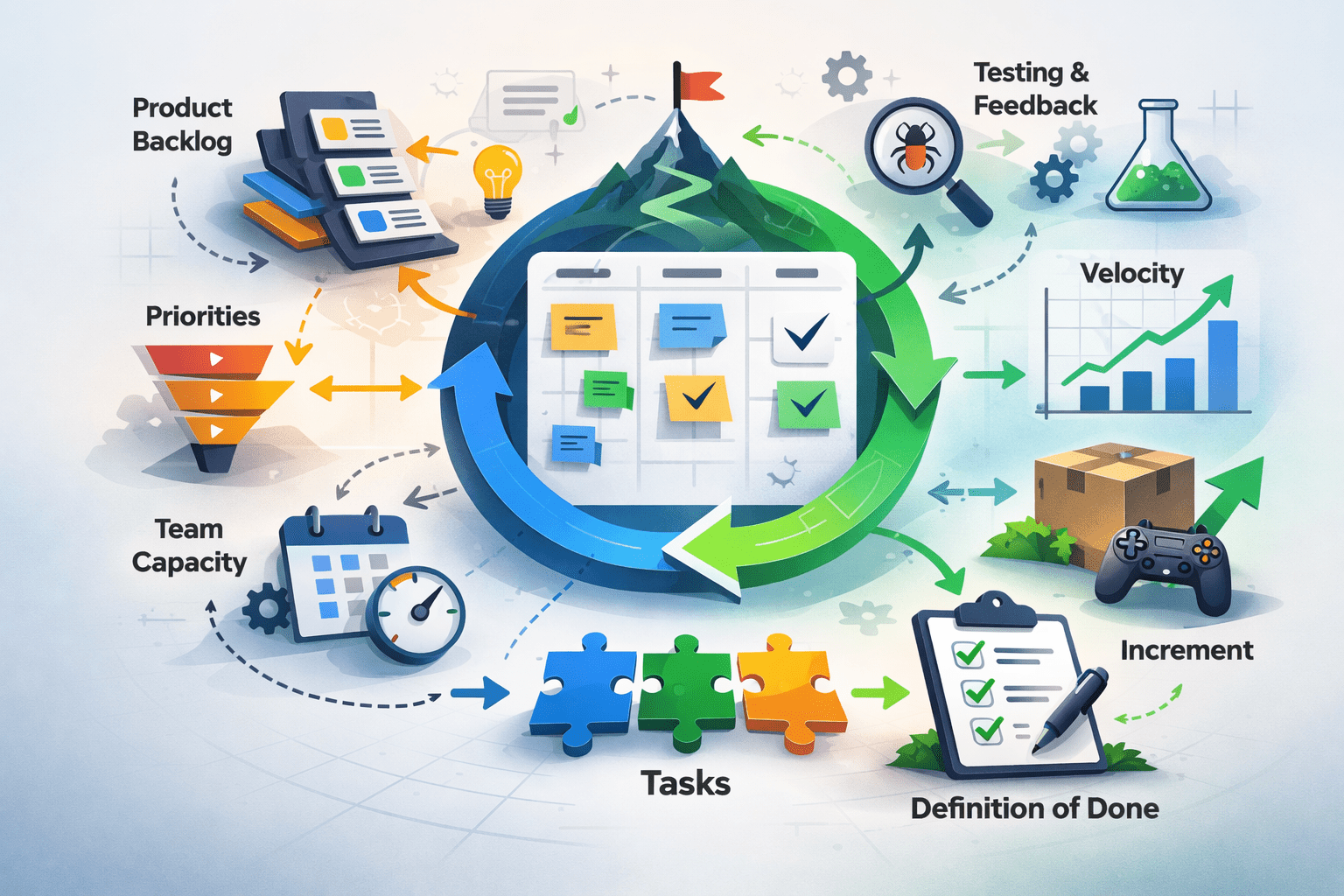
How to Master Sprint Planning for Game Developers
Sprint planning is one of those processes that game development teams sometimes neglect, and the consequences can have a real and sometimes critical impact.
Game development sits at an uncomfortable intersection. You need creative freedom to build something worth playing, but you also need structure to actually finish it. The sprint planning meeting is where these forces either align or collide.
The stakes are rising. The game development market is projected to reach USD 3.87 billion by 2031 , growing at 13.31% CAGR. More money means more pressure to deliver on time. Studios that master sprint planning gain a real competitive edge.
Poor sprint planning creates predictable problems: scope creep that bloats timelines, miscommunication between designers and engineers, and velocity estimates that mean nothing. Teams burn out chasing moving targets. Games ship late, over budget, or not at all.
Effective sprint planning does the opposite. It forces clarity before work begins. It surfaces conflicts early when they are cheap to resolve. It gives everyone a shared understanding of what “done” looks like for the next two weeks. That shared understanding is worth more than any tool or methodology.
Core Concepts: The Language of Game-Focused Sprints
User Stories in Game Development
User stories describe functionality from the player’s perspective. In game development, they take forms like “As a player, I want to see damage numbers so I can understand combat feedback” or “As a player, I want responsive controls so movement feels tight.”
The common mistake is writing user stories that are actually technical tasks. “Implement particle system” is not a user story. “As a player, I want visual feedback when I land a critical hit” is. The difference matters because user stories keep the team focused on player experience, not just feature checklists.
Sprint Velocity and Game Development Realities
Velocity measures how much work a team completes per sprint. In game development, this gets complicated fast. 65% of developers report 10+ minute iterative build times, which directly impacts how much work actually gets done versus how much time is spent waiting.
Velocity is a planning tool, not a performance metric. Using it to pressure teams into committing to more work backfires. Use it to predict capacity and set realistic expectations with stakeholders.
The Sprint Backlog vs. Product Backlog
The product backlog contains everything the game could eventually include. The sprint backlog contains only what the team commits to completing this sprint. The sprint planning meeting is where items move from one stage to another based on priority and capacity.
The Sprint Planning Framework for Game Teams
Effective sprint planning follows a three-phase structure: Align, Commit, and Clarify. Each phase has a distinct purpose and should happen in order.
Align establishes what matters most right now. The product owner (or creative director) presents priorities and explains why certain work is urgent. The team asks questions to understand context.
Commit is where the team selects work they can realistically complete. This is not a negotiation where management pushes for more. The team owns this decision based on their velocity and current capacity.
Clarify breaks selected work into concrete tasks and surfaces blockers. This is where vague user stories get specific enough to execute. If something cannot be clarified, it goes back to the backlog for refinement.
These phases connect to form a planning spine that the team returns to throughout the sprint. When priorities shift mid-sprint (and they will), the Align phase reasoning helps the team make tradeoff decisions.
Step-by-Step: Running an Effective Sprint Planning Meeting
Step 1: Pre-Meeting Backlog Refinement
Objective: Enter the sprint planning meeting with a groomed backlog where top-priority items are already estimated and understood.
The sprint planning meeting is not the place to define user stories from scratch. That work should happen in separate refinement sessions. Before the meeting, ensure the top 15-20 backlog items have acceptance criteria, rough estimates, and identified dependencies.
For game development specifically, this means design documentation exists for features entering the sprint. Artists need concept references. Engineers need technical specifications. QA needs testable criteria.
What to avoid: Bringing vague items like “improve combat feel” into sprint planning. These need refinement first. Also, avoid over-grooming the entire backlog. Focus on items likely to enter the next 2-3 sprints.
Success indicators: The team can discuss any top-priority item without needing to pause for clarification. Estimates exist, and the team agrees they are reasonable.
Step 2: Set the Sprint Goal
Objective: Establish a single, clear objective that gives the sprint coherence and helps the team make tradeoff decisions.
The sprint goal is not a list of features. It is a statement of intent. “Complete the vertical slice of the tutorial level” is a sprint goal. “Finish tasks 47-89” is not.
A good sprint goal helps when things go wrong. If the team falls behind, the goal tells them what to protect and what to cut. It also communicates progress to stakeholders in terms they understand.
What to avoid: Goals so broad they are meaningless (“make progress on the game”) or so narrow they do not allow flexibility (“complete exactly these 12 tasks”).
Success indicators: Every team member can state the sprint goal from memory. The goal clearly connects to the current milestone or release target.
Step 3: Capacity Planning
Objective: Calculate realistic team capacity accounting for holidays, meetings, and known interruptions.
Capacity is not “number of people times hours in a sprint.” It is available productive time after accounting for reality. Someone taking three days off has reduced capacity. A team with a major playtest mid-sprint has reduced capacity.
Build in a buffer for the unexpected. Game development involves iteration, and 43% of QA teams are adopting automation tools specifically to handle more frequent testing cycles. Even with automation, testing discoveries create unplanned work.
What to avoid: Assuming 100% capacity or ignoring scheduled commitments. Also, avoid treating capacity as fixed when you know a team member is struggling or ramping up on new technology.
Success indicators: Capacity calculation accounts for all known absences and commitments. The team agrees the number reflects reality.
Step 4: Select and Commit to Work
Objective: The team selects user stories and tasks that fit within capacity and align with the sprint goal.
This is the core of the sprint planning meeting. The product owner presents priority-ordered items. The team discusses each one, confirms understanding, and decides whether to commit.
Commitment means the team believes they can complete the work to the definition of done. It does not mean they guarantee it. The distinction matters for psychological safety and honest planning.
Netflix’s partnership with N-iX Games demonstrates this at scale. Six teams working in parallel achieved 10-14-month development cycles by keeping sprint discussions focused on technical execution, while creative direction came through separate channels.
What to avoid: Committing to work that the team does not understand or cannot estimate. Also, avoid the “we’ll figure it out” trap for complex items. If it cannot be broken down, it is not ready.
Success indicators: Every committed item has clear acceptance criteria. The total committed work is at or below the calculated capacity.
Step 5: Break Down User Stories into Tasks
Objective: Decompose each committed user story into concrete, assignable tasks that can be completed in hours, not days.
A user story like “As a player, I want to see my inventory” might break into: design inventory UI layout, implement inventory data model, create item icons, build inventory screen, write unit tests, and conduct QA pass.
Task breakdown surfaces hidden complexity. If a story breaks into 20+ tasks, it is probably too big for one sprint. If the team struggles to identify tasks, the story needs more refinement.
What to avoid: Tasks so granular they create administrative overhead (“open IDE”) or so vague they are not actionable (“do the thing”).
Success indicators: Each task can be completed by one person in one day or less. Dependencies between tasks are identified and sequenced.
Step 6: Identify Blockers and Dependencies
Objective: Surface anything that could prevent work from starting or completing, and assign owners to resolve blockers.
Dependencies in game development are everywhere. Art needs design specs. Engineering needs art assets. QA needs builds. The sprint planning meeting must map these dependencies explicitly.
External dependencies are especially dangerous. Waiting on middleware licenses, third-party SDK updates, or platform certification can stall entire sprints. Identify these early and build contingency plans.
What to avoid: Assuming dependencies will “work themselves out” or that someone else is handling them. Every blocker needs an owner and a resolution date.
Success indicators: All dependencies are documented with owners assigned. Critical path items are identified and prioritized.
Step 7: Document and Communicate
Objective: Record sprint commitments in your project management tool and share with stakeholders.
The sprint planning meeting output should be visible to everyone, not just attendees. This includes the sprint goal, committed user stories, task breakdown, and identified risks.
Tools like HacknPlan connect design documentation directly to sprint tasks, reducing the gap between creative intent and execution. Whatever tool you use, ensure it supports traceability from high-level goals to individual tasks.
What to avoid: Keeping sprint plans in meeting notes that no one reads. Also, avoid over-communicating with stakeholders who only need summary-level updates.
Success indicators: All committed work is visible in the project management system. Stakeholders can check sprint status without interrupting the team.
Common Mistakes and How to Avoid Them
Overcommitting to prove dedication: Teams often commit to more than they can deliver, especially under pressure from stakeholders. This creates a cycle of missed commitments and eroded trust. Protect the team’s right to set realistic commitments.
Skipping refinement: When backlog items are not refined before sprint planning, the meeting becomes a refinement session. This wastes time and leads to poor estimates. Separate the activities.
Ignoring creative iteration: Game development requires playtesting and iteration. Sprints that leave no room for “this does not feel right, let’s try something else” produce technically complete but creatively flat work. Build iteration time into capacity.
Treating velocity as a target: Velocity is descriptive, not prescriptive. Using it to push teams toward higher numbers corrupts the metric and burns people out.
Planning in isolation: Sprint planning that excludes key disciplines (art, audio, QA) creates coordination problems downstream. Include representatives from every discipline that will contribute to the sprint.
What to Do Next
Start with your next sprint planning meeting. Before the meeting, review your backlog and ensure the top 10 items are refined with clear acceptance criteria. During the meeting, explicitly calculate capacity before committing to work.
Track one thing: did the team complete what they committed to? If not, investigate why without blame. The goal is learning, not accountability theater.
Revisit this guide after a few sprints. Some advice will click immediately. Other parts will make more sense after you have experienced the problems they address. Use it as a reference, not a checklist to complete once and forget.
