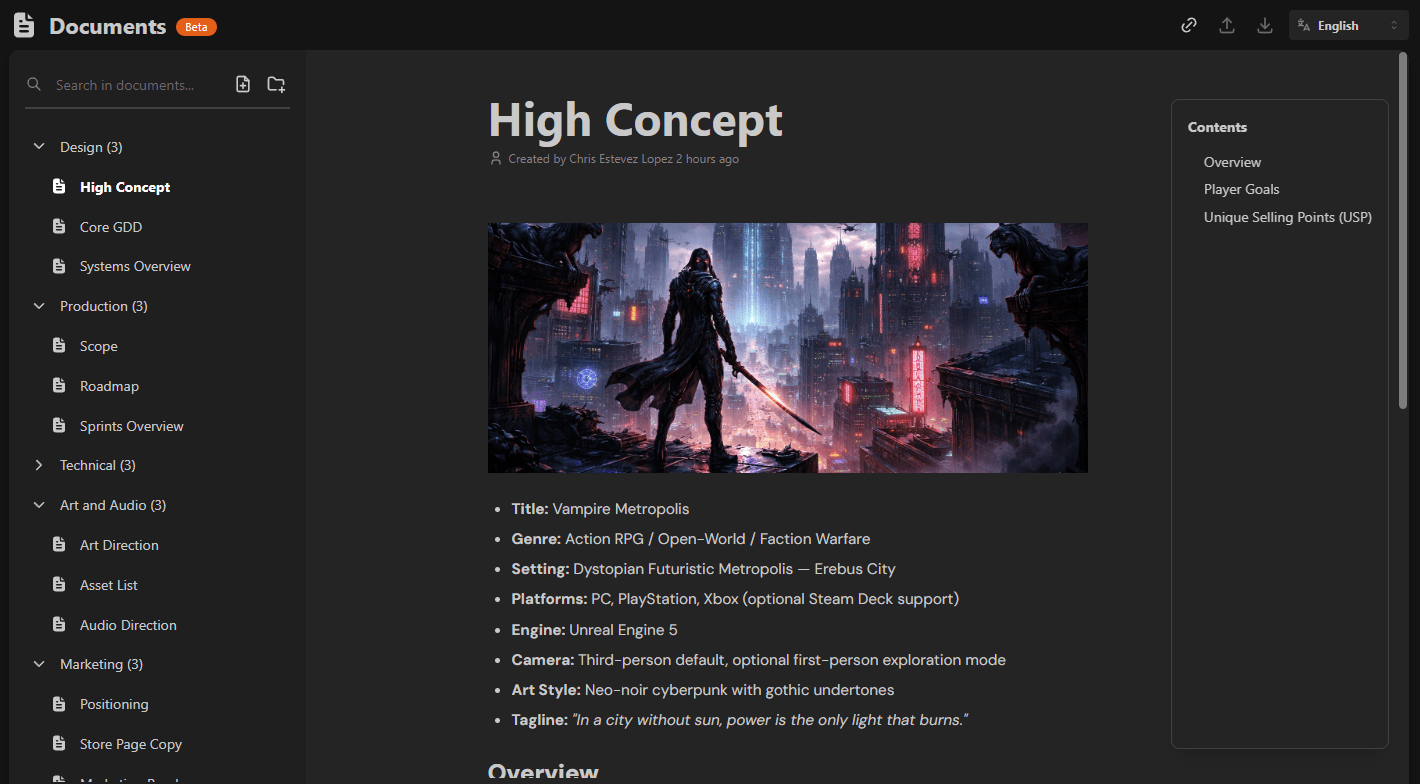
Introducing the Documents module 📖
We are excited to announce that the new Documents module is now available in HacknPlan!!
Every successful game project needs a single source of truth. When documentation is scattered across different tools, drives, and chat threads, teams lose alignment. Decisions become harder to track. New members struggle to onboard. Context fades over time.
Starting today, you can keep all your project documentation in one place. Design, narrative, technical specifications, production guidelines, references, research… all directly connected to your planning workflow inside HacknPlan.
A modern block-based editor
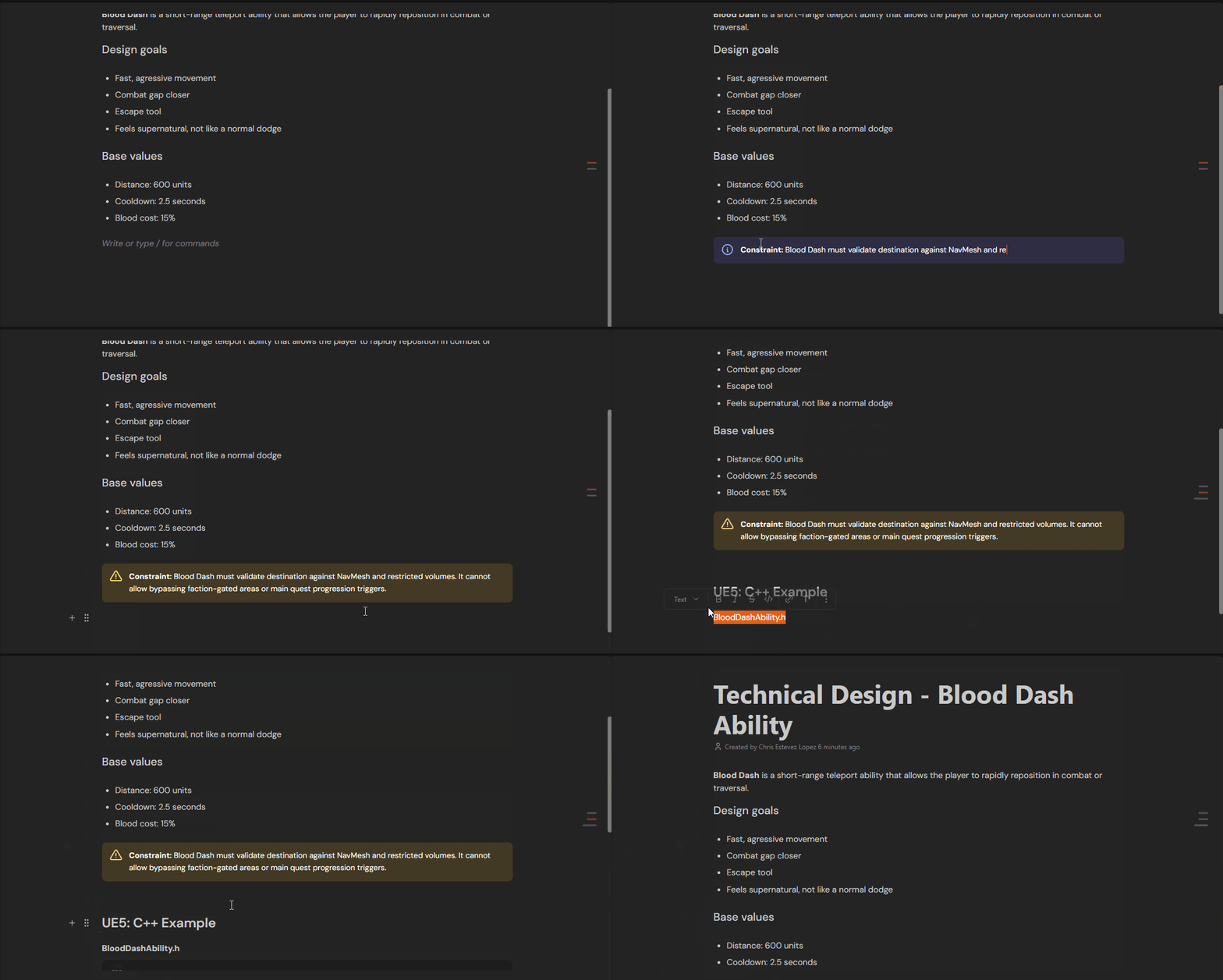
At the core of the new module is a modern, sleek block-based editor with slash commands, which will be the text-editing foundation for all the new v2 modules.
Simply type / to insert headings, lists, images, tables, embeds, and more. Writing and structuring documents feels fast and natural, and reorganizing content is effortless thanks to the block system.
Also, a table of contents is automatically generated from your headings, making it easy to navigate long documents. Complex documentation stays clean, readable, and flexible.
Built for scale
The editor has been designed with performance as a priority.
Built using the new v2 tech stack, it remains lightning fast even with large documents containing heavy media, complex tables, and extensive content. Scrolling, editing, and reorganizing blocks stays smooth, so your team can focus on thinking and creating instead of waiting for the interface to catch up.
Real-time collaboration
Multiple team members can edit the same document simultaneously with real-time collaboration.
You can see changes as they happen, iterate faster, and avoid version conflicts or endless file exchanges. Documentation becomes a shared, living space instead of a static file.
Deep project integration
Documentation should not live in isolation.
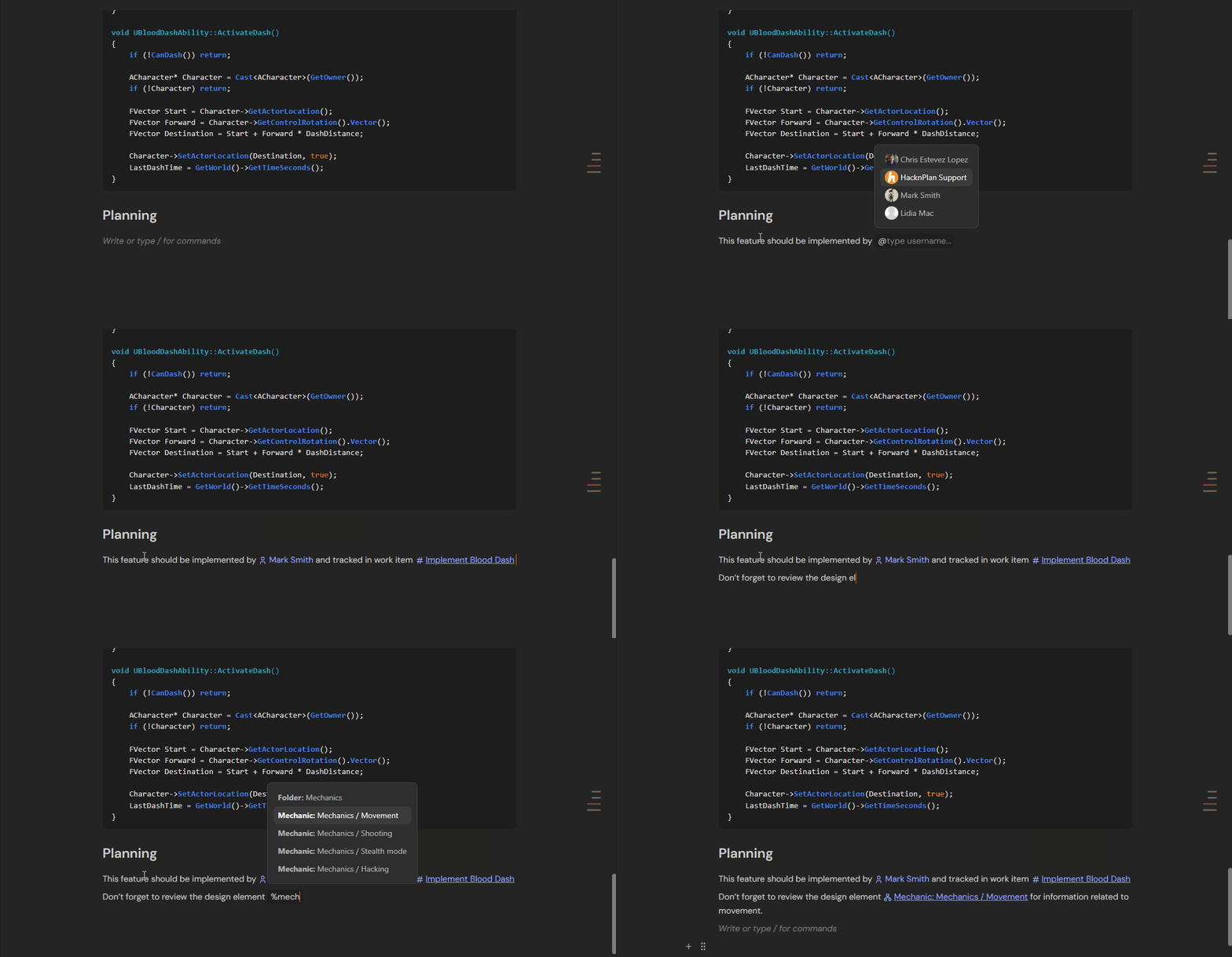
You can reference users, work items, design elements, files, and other documents directly inside your content. Autocomplete helps you quickly find and link the right entity. These references stay connected to the project, turning documentation into something actionable.
Rich media support
Game development is visual and interactive, and your documentation should reflect that.
- Resizable and alignable images, videos, and 3D model visualizers
- Audio support
- Embedded videos from YouTube, Vimeo, or self-hosted sources
- Embedded external images and media
You can also upload files via drag-and-drop or by pasting them directly into the editor, making it easy to centralize visual references for your documents or keep relevant files to the document ready to download.
Interactive tables
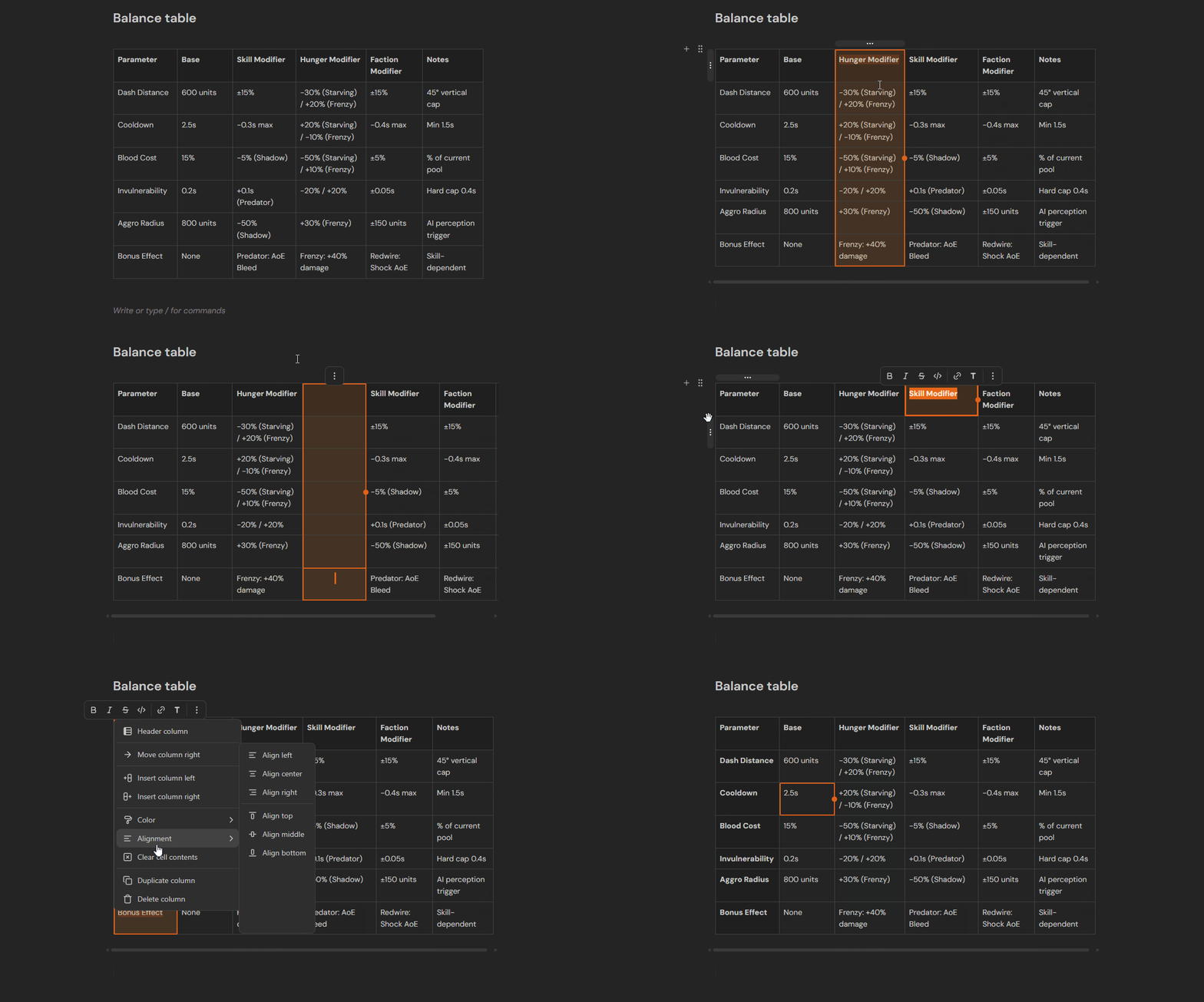
Create interactive tables directly in your documents.
Reorganize rows and columns with drag-and-drop, resize them, and quickly add new rows or columns with one click. Tables are ideal for balancing data, feature breakdowns, and production tracking.
Markdown shortcuts
HacknPlan has been using Markdown since the birth of the platform, and it will continue to be compatible for work items or design element descriptions. On the other hand, we wanted to give a lot more formatting capabilities to our documentation editor, so Markdown is not directly supported for full documents.
However, Markdown shortcuts are available for the Documents module, so if you are fluent in writing Markdown syntax, you’ll find that you can easily convert your paragraph to a heading by writing #, wrapping text in ** makes it bold, and so on. This will keep your writing productivity, while you also get all the benefits of a WYSIWYG editor.
Document search
As your documentation grows, finding information quickly becomes critical.
The Documents module includes search capabilities so you can locate the content you need without manually browsing through folders. You can launch the search by pressing Ctrl/Cmd + K, and search for relevant words in the title or content of the document.
Permissions (Personal Plus & Studio)
The Documents module can now be configured in the permissions set of users and roles to prevent access or writing capabilities to some users.
Additionally, if you’re not interested in having documentation in your project, you can completely disable it from Administration → Modules.
Currently in beta
The Documents module is available in beta at the moment. It is already stable and fully usable, but some core features are still in development.
- Import and export from common formats
- Document messages
- Snapshots to preserve different versions of a document (Personal Plus & Studio)
- Per-document permissions (Personal Plus & Studio)
We are releasing it early because your feedback matters. This module is a major step forward for HacknPlan, and we want to refine it together with the community.
What comes next
After HacknPlan v2 is fully rolled out, we will continue expanding the editor. Upcoming additions include AI writing assistance, embedded item cards and other blocks, public sharing, and more tools designed to help teams document more quickly and clearly.
We want to hear from you. Any feedback, suggestions, and bug reports will help us make it better and better, so don’t be shy!
Happy planning!
