Work items
Tasks
In HacknPlan, the task is the core execution unit: a specific, actionable piece of work.
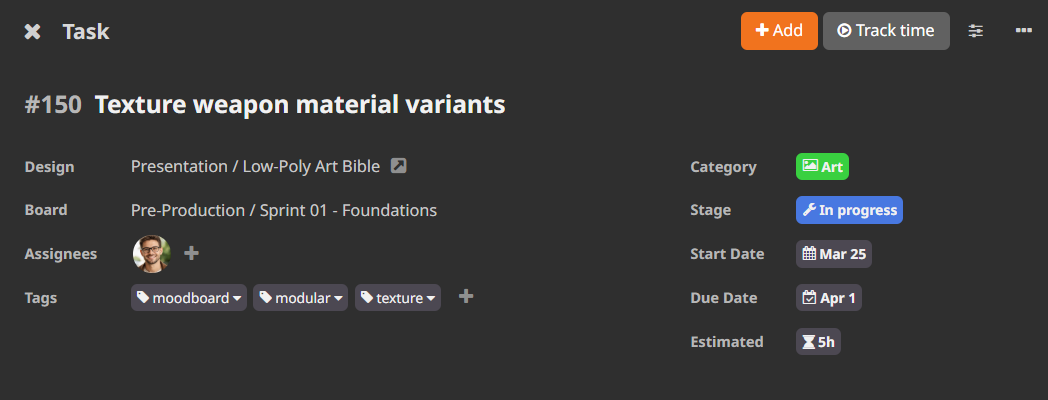
Lifecycle
A task typically moves through these states:
- Planned: scheduled, not started
- In progress: actively being developed
- Testing: under review/validation
- Completed: finished and accepted
Tasks can be assigned to one or multiple users. Teams may use assignment either as ownership signal or as active-work signal, depending on process model.
Task classification
Tasks can be organized by:
- Category (mandatory): discipline such as Programming, Art, Audio, Marketing
- Game design element (optional, recommended): functional context in the GDM
- Board (optional): timebox or iteration scope
- Tag (optional): custom flags or workflow markers
Creating a task
Create from New or shortcut T.
Task creation is progressive: optional fields are hidden by default to keep the flow fast.
Use Edit fields to enable extra inputs and Remember fields to store your default form layout.
Admins can enforce mandatory fields in:
Administration -> Modules
Available task fields include:
- title
- category
- design element
- assigned users
- tags
- board
- importance
- start/due dates
- estimated cost
- description
- subtasks
- attachments
- dependencies
Studio supports batch creation from the same dialog.
